If you wish to add a disclaimer to an article, follow these steps:
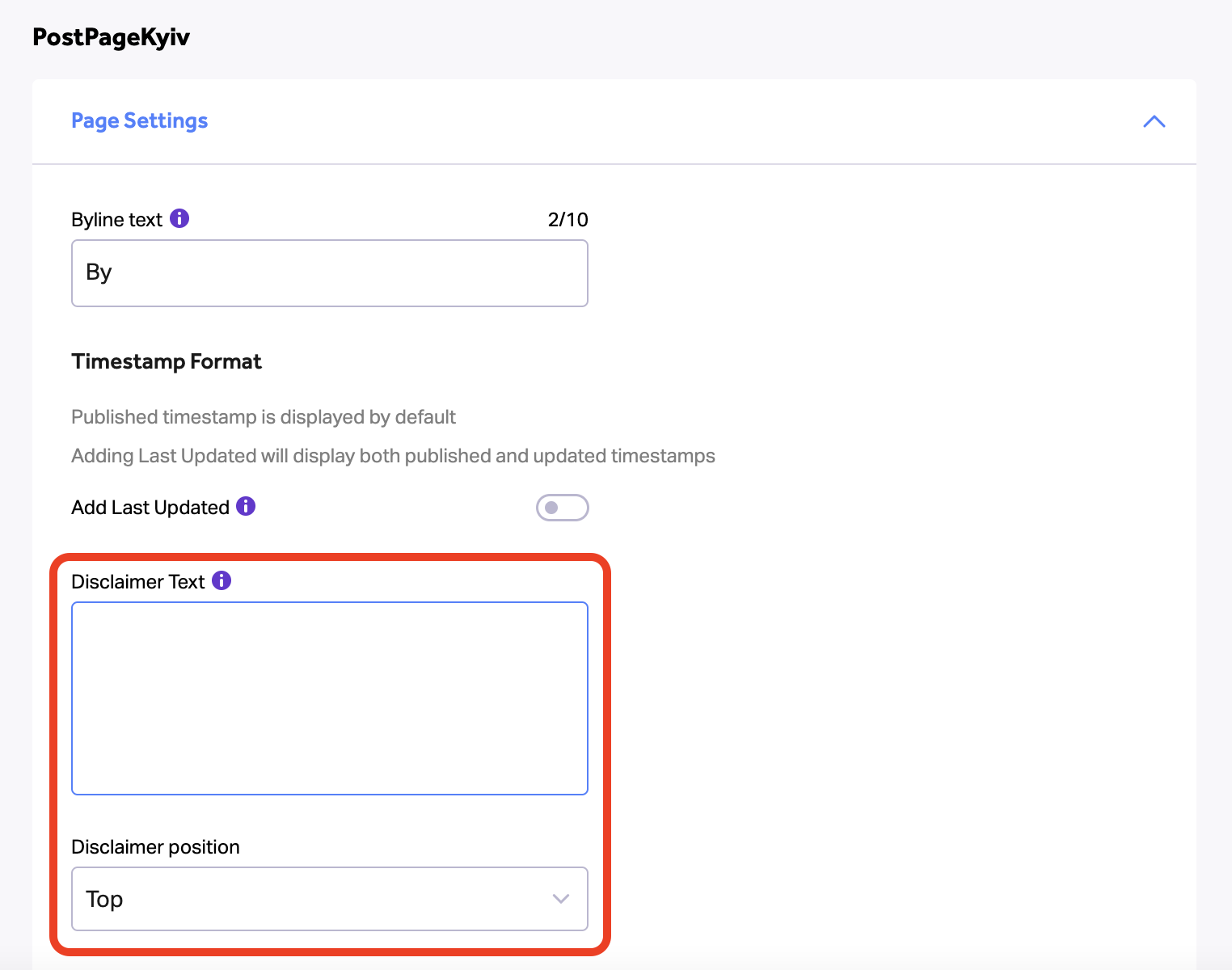
1. Edit the disclaimer and select its position in “Post Page Template” via Craft > Pages (Craft Admins only)
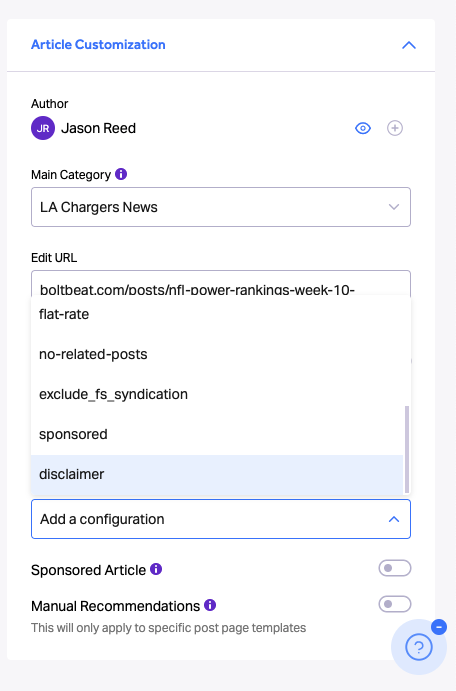
2. Add the disclaimer to the article through the Publisher by adding a “disclaimer” commercial tag
Note: If step 1 isn’t completed, nothing will be added to the article.