- Click on the navigation you want to edit from the list
- You can change the display order of links and categories in the navigation by dragging and dropping
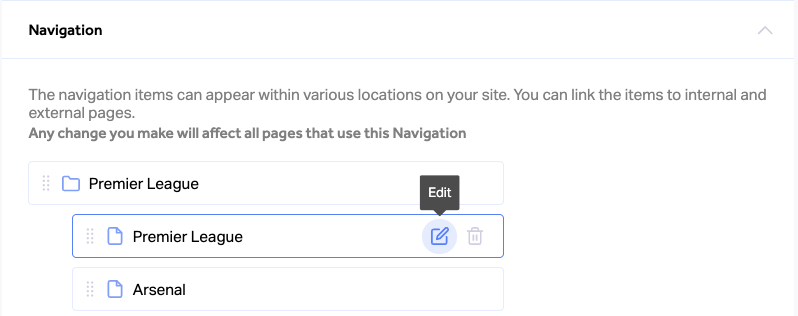
- To edit a specific navigation entry, hover over it and click on the “Edit” icon
- Make the needed changes in the editing screen popup
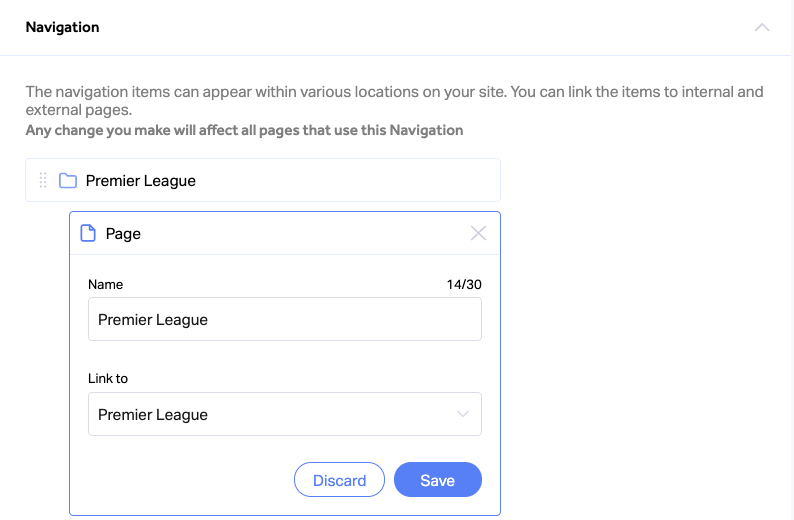
- Click “Save” to update your changes for the specific entry
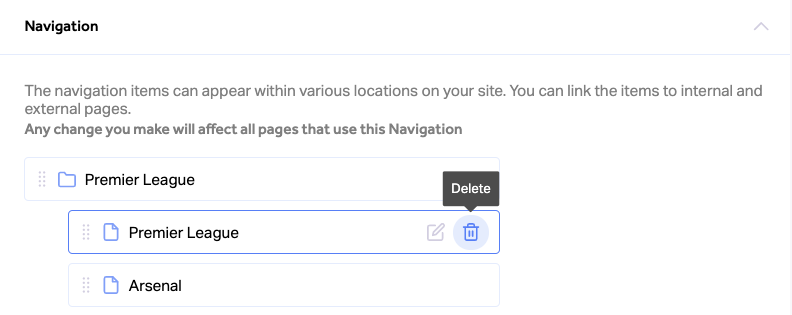
- To delete a navigation entry, hover over it and click on the “Delete” icon
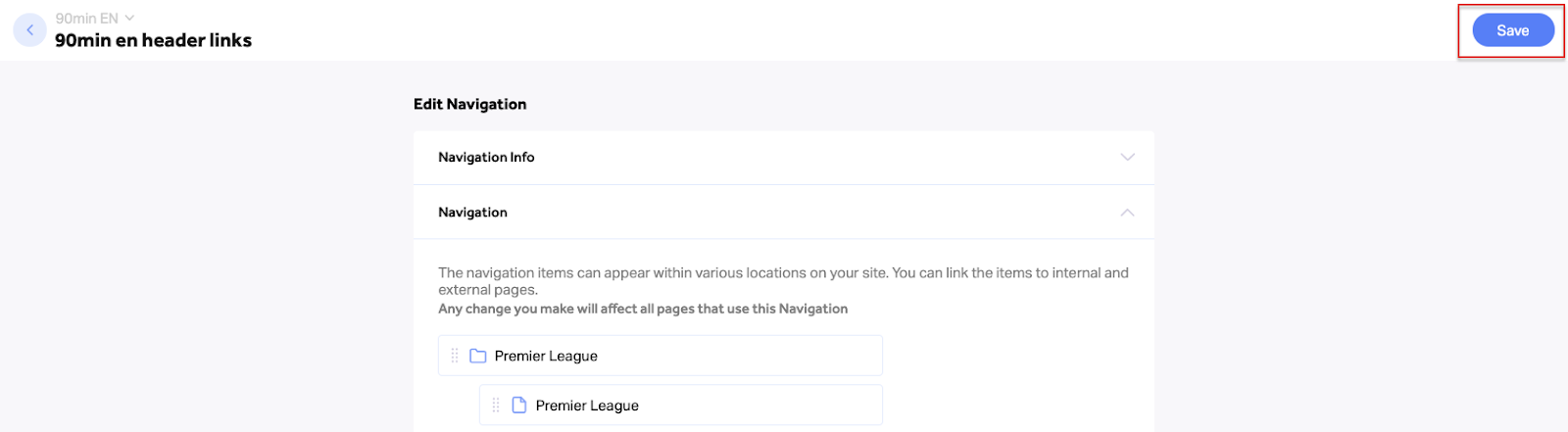
- Click “Save” at the top right corner to save and publish all changes to your live website
CMS & Sites Help Center