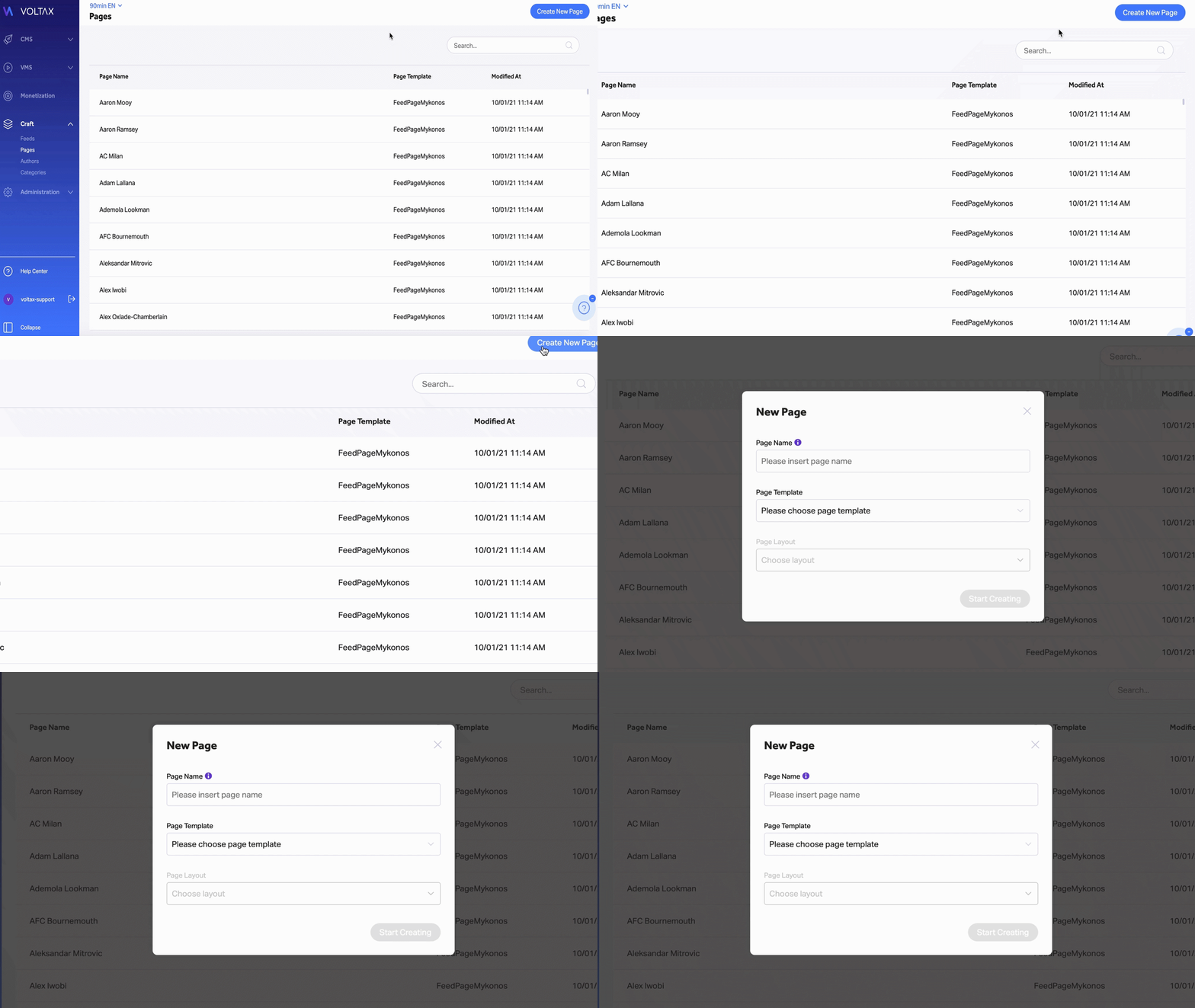
To create a new home page, follow the following steps:
- Enter the "Pages" section within Craft
- Click on the "Create new page" button on the top-right part of the screen.
- Name the page (for internal purposes),
- Select the Page Template (one of the home page templates)
- Select the Page Layout
- Click on "Start Creating"