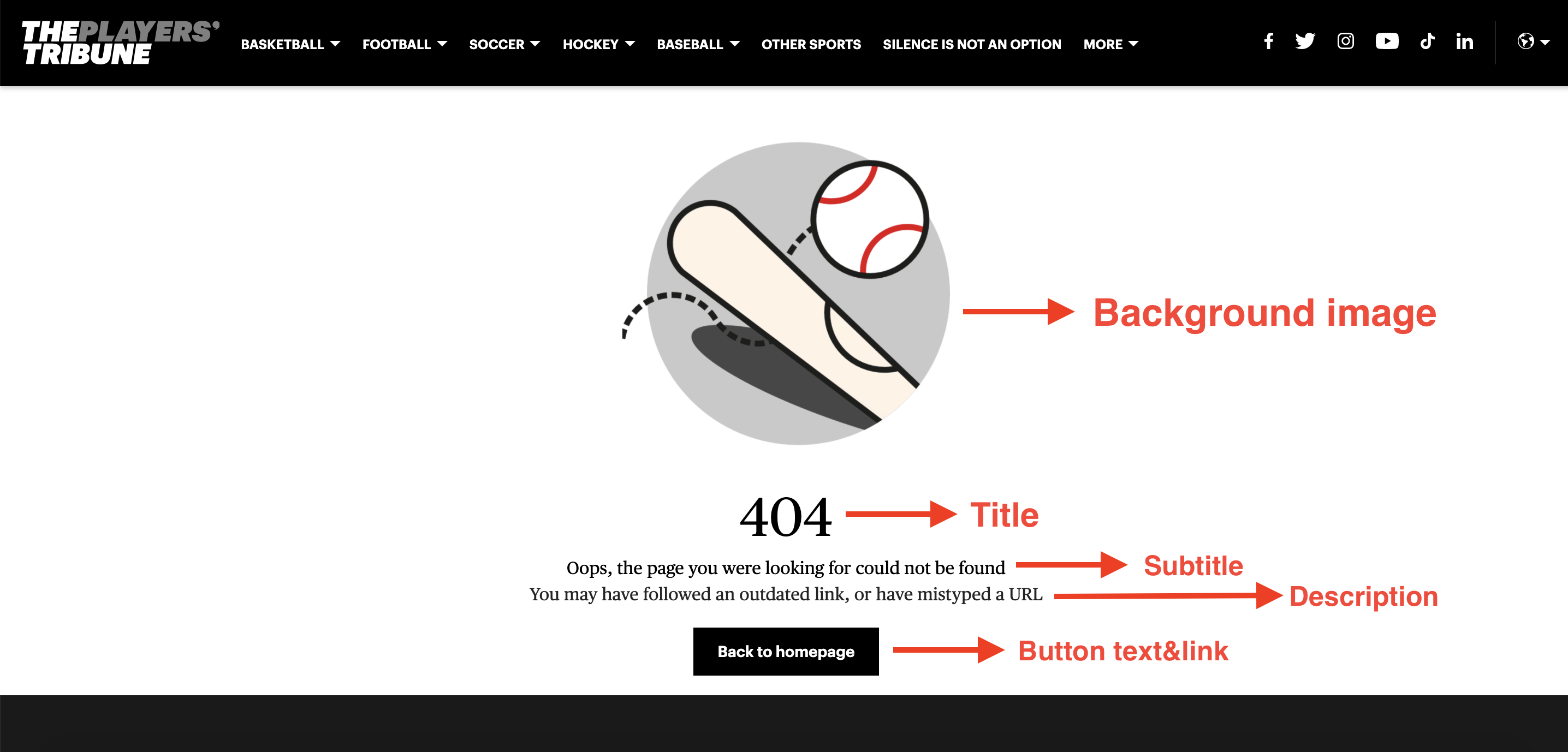
When editing an Error Page, you need to fill in the following fields:
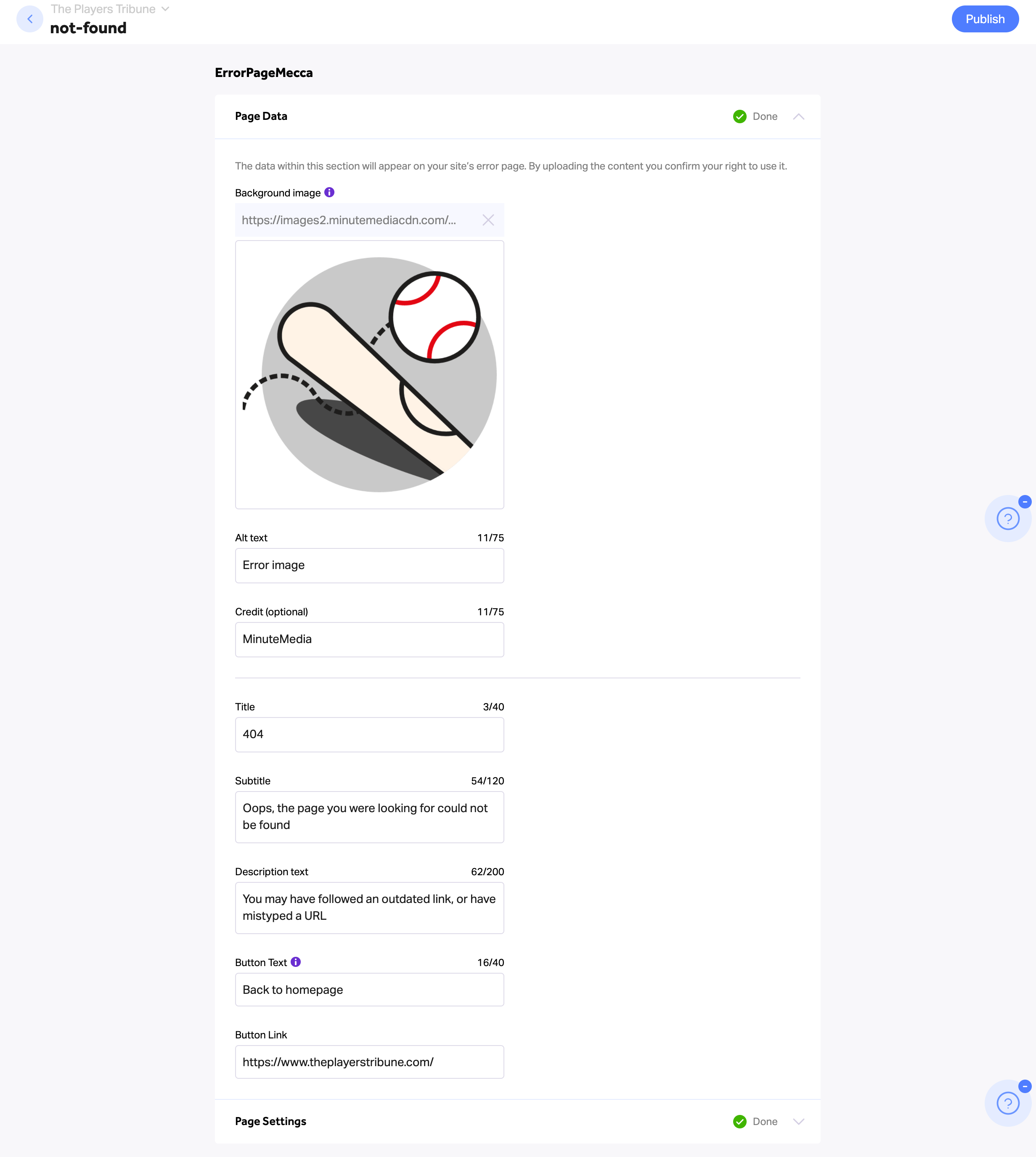
- Page Data
- Upload a background image for your Error page
- Add the image alt-text (won’t show on the page itself)
- Add the image credit (won’t show on the page itself)
- Type in the page’s title and subtitle
- Add a description
- Type in the button’s text (this will appear in the button beneath the text)
- Add the button’s link
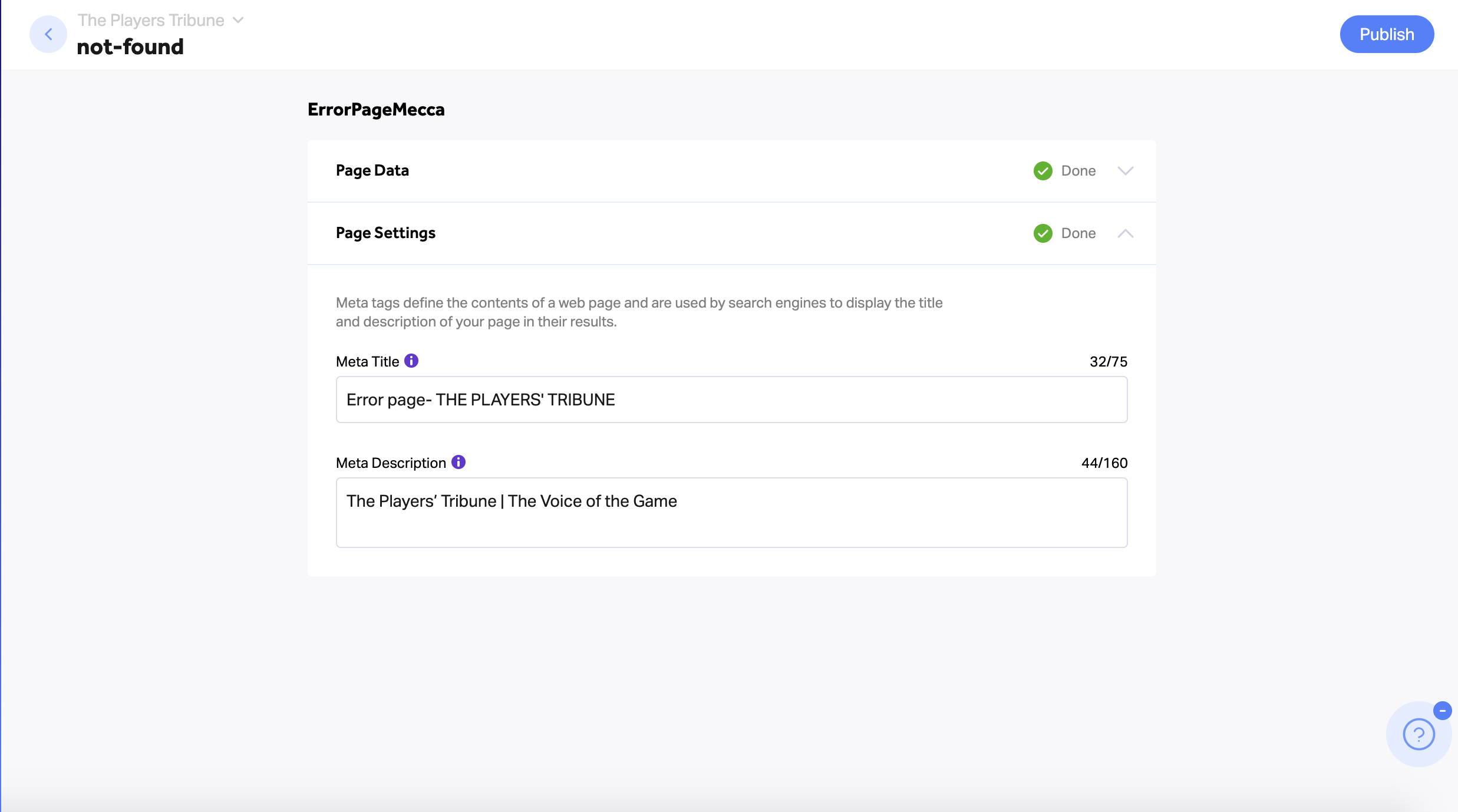
2. Page Settings
- Type in the Error page's "Meta Title" (75 characters max) - This title will be displayed on the browser tab on top and used by search engines to display the page within the results
- Type in the Error page's "Meta Description" (160 characters max)
3. Publish