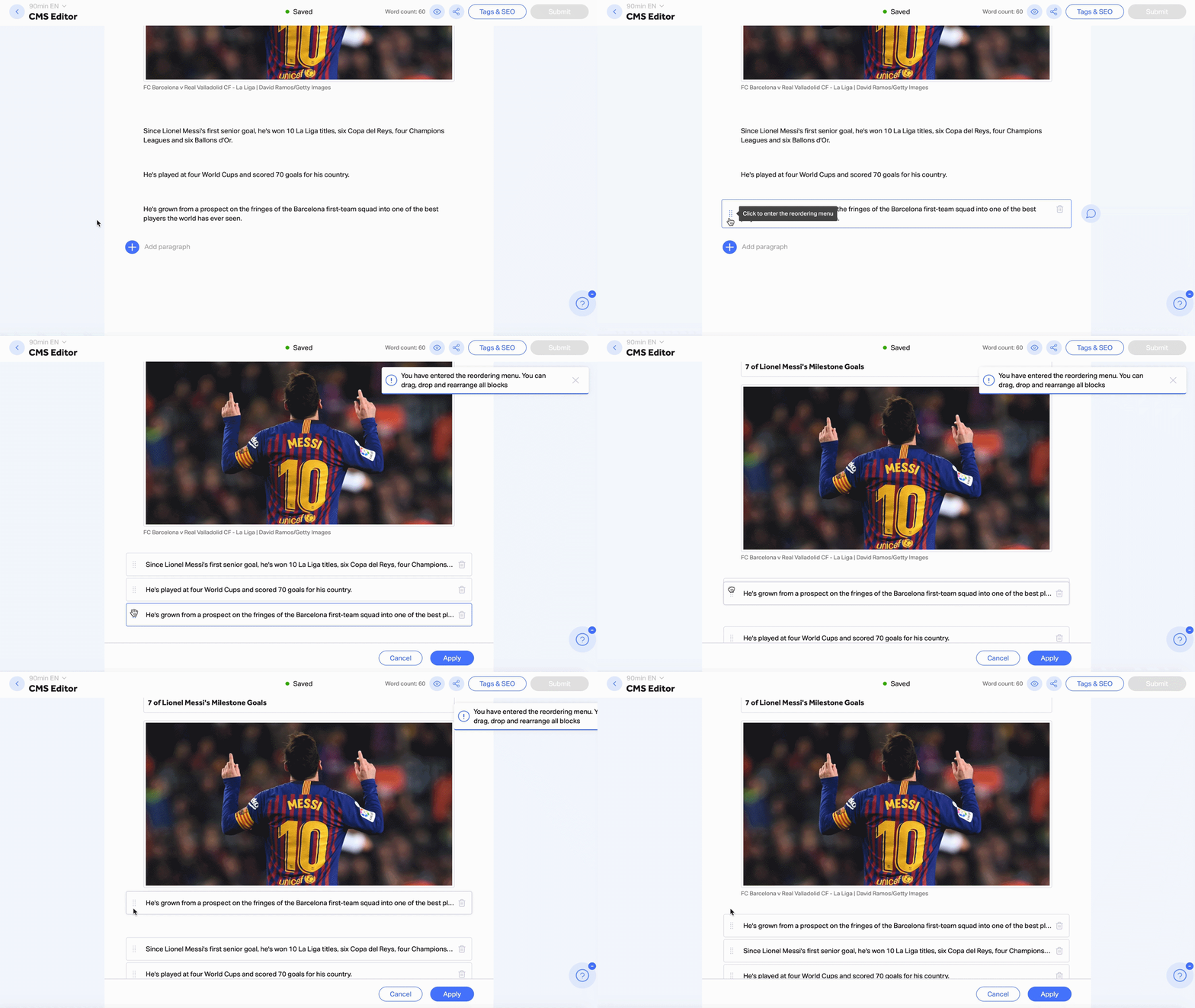
To re-organize your article, follow these steps:
- Hover over any block in the article
- Click the drag handles on the left side of the block
- In the reordering menu, drag and drop your blocks to fit the order you desire
- Click “Apply” when you’re done, to save changes.